NFS在debian中的使用 (未完成)
1.软件安装
服务端apt install nfs-kernel-server
客户端apt install nfs-common cachefilesd
2.配置文件
服务端
vi /etc/nfs.conf
#为方便防火墙管理,禁用NFSv2、NFSv3需要依赖rpcbind的服务,只启用NFSv4(只需放行2049端口)
[nfsd]
vers2=n
vers3=n
vers4=y
vers4.0=y
vers4.1=y
vers4.2=y
禁用 rpcbind服务
systemctl stop rpcbind.socket rpcbind.service
systemctl disable rpcbind.socket rpcbind.service重启服务systemctl restart nfs-server
放行防火墙firewall-cmd --permanent --add-rich-rule='rule family="ipv4" source address="$client_IP" port port="2049" protocol="tcp" accept'
客户端权限分配vi /etc/exports
#arm-01
/mnt/data/hath-x  $IPv4(rw,sync,no_subtree_check,no_root_squash)
/mnt/data/hath-x  $IPv6(rw,sync,no_subtree_check,no_root_squash)
客户端
为了提升 hath 服务质量,由于我们需要配置 FSC,通过本地缓存加快响应时间
安装 cachefilesd
apt install cachefilesd
由于 cachefilesd会根据 /etc/fstab挂载参数hath-nfs-server:/data/hath-x /data/hath-x nfs nfsvers=4.1,fsc,rw,_netdev,noatime,nodiratime,rsize=524288,wsize=524288,hard,timeo=100,retrans=3,nconnect=8,acregmax=60,acdirmax=60 0 0
在目录 /var/cache/fscache/cache/下生成 Infs,4.1,a,108………… 的本地缓存目录,为了后续维护方便,我们使用 NFS别名
echo "$ipv4 hath-nfs-server" >> /etc/hostsecho "$ipv4 hath-nfs-server" >> /etc/cloud/templates/hosts.debian.tmpl
启用 cachefilesdecho "RUN=yes" >>/etc/default/cachefilesd
本地缓存大小以及缓存更新配置
/etc/cachefilesd.conf
为防止进程在debian 网络未初始化完成时启动导致启动失败需启用/etc/init.d/cachefilesd 内的STARTTIME=
启动 cachefilesd
systemctl start cachefilesd
systemctl enable cachefilesd
查看缓存状态
cat /proc/fs/fscache/stats
效果图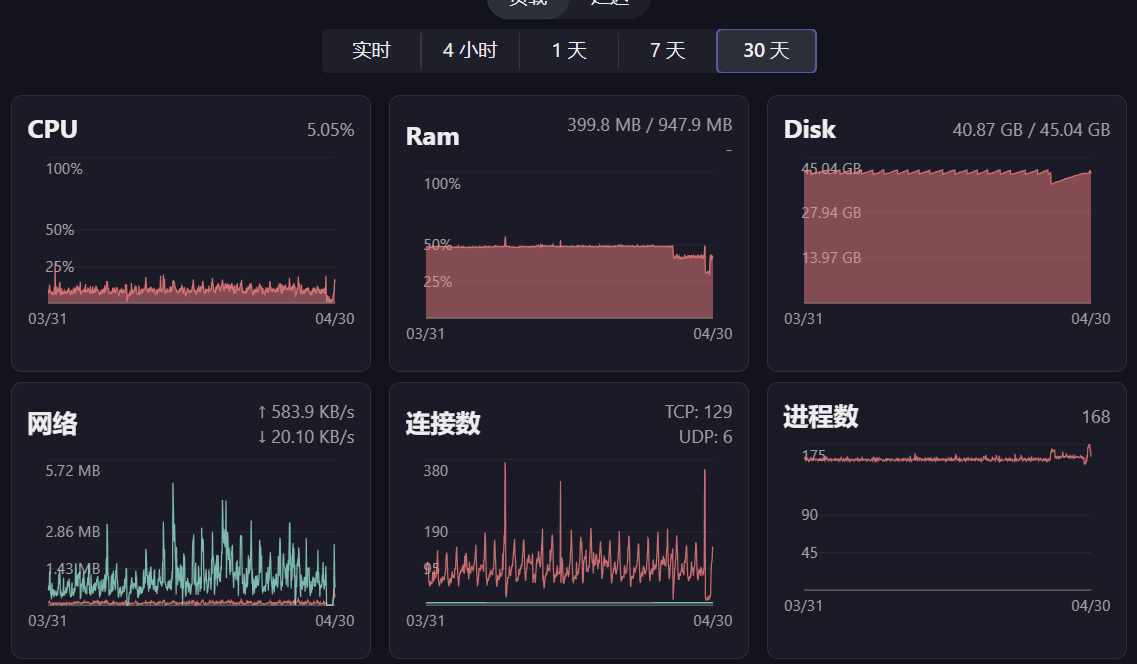
因服务端网络故障导致NFS 卡死,取消挂载
systemctl stop docker.socket docker.service cachefilesd
umount -fl /data/hath-x
经过测试,并不能通过修改客户端hosts 文件的方法复用/var/cache/fscache/cache/ 下的缓存文件,当NFS 服务端ip 变化后仍需手动重命名旧目录名到新目录名
systemctl stop docker.socket docker.service cachefilesd

ls -al /var/cache/fscache/cache/

rm Infs,4.1,.......($NEW_DIR)
mv $OLD_DIR $NEW_DIR
systemctl start cachefilesd docker.socket docker.service
验证
tail /proc/fs/fscache/cookies
cat /proc/fs/fscache/stats